Aside Widget Block
A part of the immersive template, the Aside Widget block is a sleek alternative to standard Fact and Pull Quote blocks. Instead of traditional center alignment, the Aside Widget affords site managers the option to left- or right-align chunks of important content to give the page a feature feel without distracting from the main body of text.

Features
To add an Aside Widget block, click the “Add block” button and choose “Aside Widget” from the block list. Alternatively, users can find and choose the block by using the “Search for a block” function. For more information on using blocks and adding them to a WordPress site, see our documentation on blocks.

Once added, the Aside Widget grants creators the option of featuring either a fact or a pull quote. Both facts and pull quotes can be left- or right-aligned, and the text color can be chosen from a variety of brand-compliant options. The fact option includes a generic text field, a call to action, a unique icon and a space for including a link.

A pull quote is simpler than a fact, as it only features a text field. That said, the pull quote option still allows for both left- and right-aligned text and the ability to select the text color.
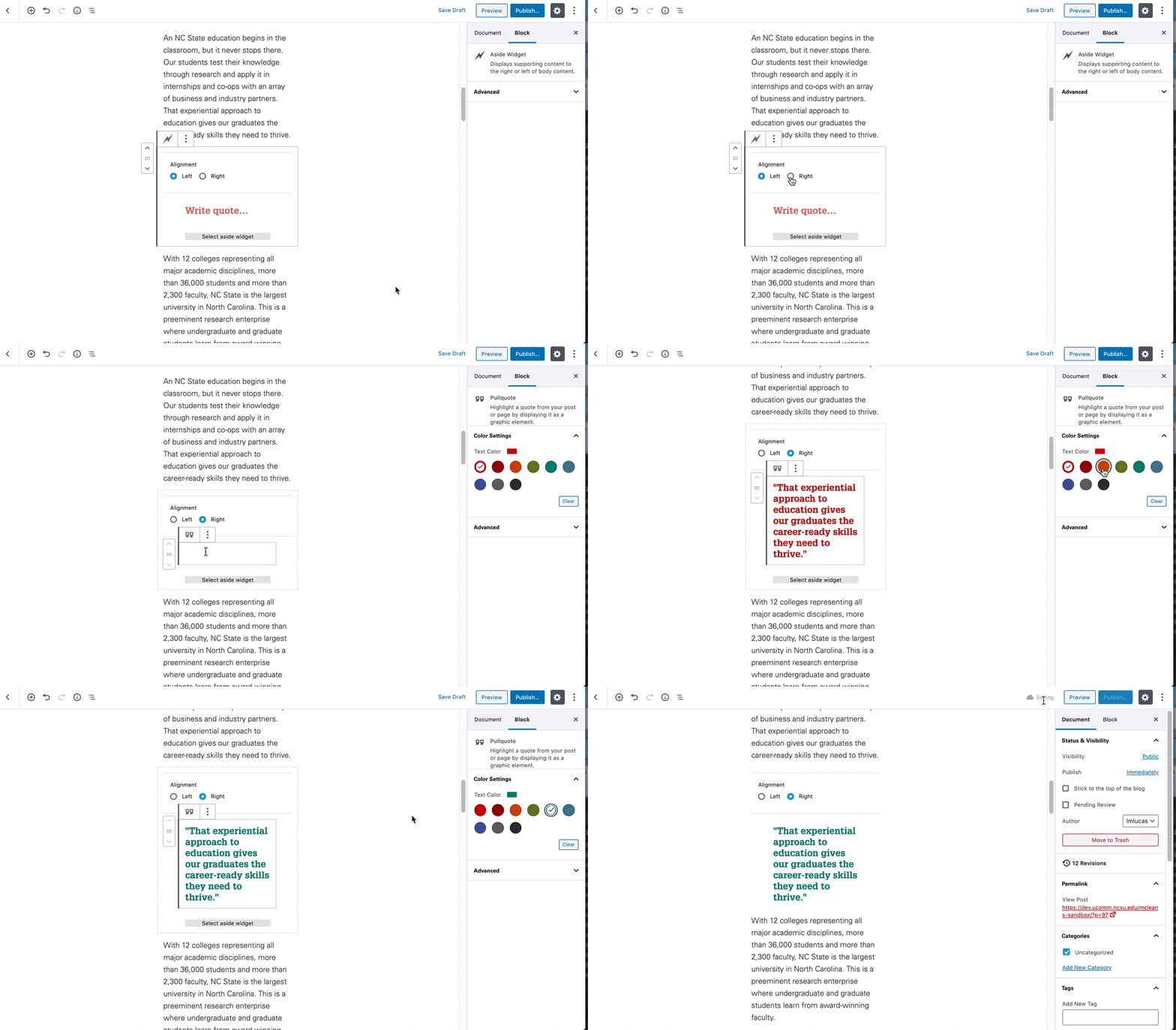
One final note: When using the Aside Widget, rely heavily on the preview function found in the WordPress back end to make sure the widget looks the way you want it to on the page. While creating and editing an Aside Widget, content creators will not have a good idea of how the fact or pull quote will appear on the page, because the blocks are center-aligned when editing. Using the preview function will help creators ensure that the page appears as intended.