Events Block
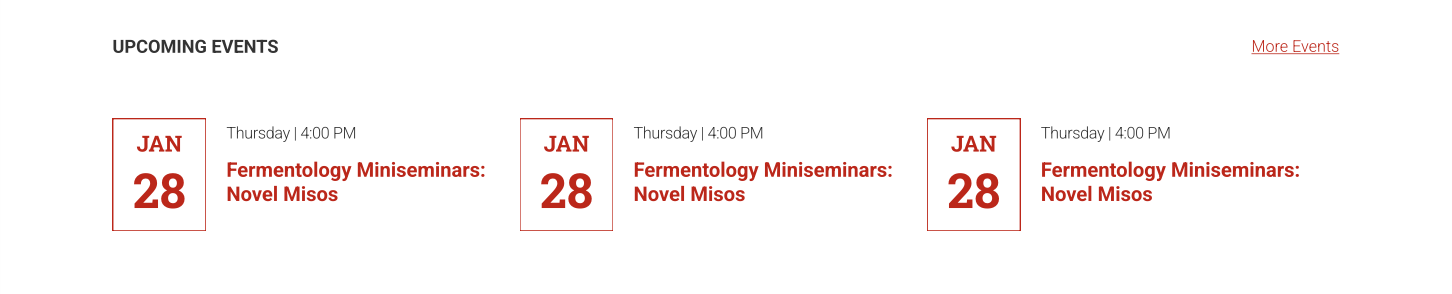
By default the Events block will display the next three events on your calendar, but it can also display the next six or nine events. It can pull data from Localist (the platform that hosts NC State’s University Calendar) or the Events Calendar plugin. The Events Calendar plugin allows you to import events from Google Calendars and other calendaring platforms.
With both Localist and the Events Calendar, you can filter which types of events to display. This will allow you to display events for a specific topic such as research seminars or outreach events on a relevant page of your site.
Additional Styling for the University Calendar
The Events block also offers additional functionality and styling with enhanced integration into the University Calendar. When using a Localist event source, site maintainers can change block styles, update the background color and add a “Load More” stories button.

Localist Calendar Widgets
For those leveraging the University Calendar, there is also another tool at their disposal. The Localist Calendar Widget builder makes it simple to share campus event information in a polished, organized way.
A widget is a calendar embed that pulls event data directly from Localist and displays it on your webpage. This can save content maintainers the time and effort of manually updating event listings. Events can appear in either grid or list format, and they update automatically based on the parameters you set in the widget builder.
For examples of what is possible, please explore the documentation linked below.
Similar Blocks
Academic websites often need to display dates and deadlines. Sometimes the Events block is not well suited for this use case, because in these instances there are often more than nine dates that need to be listed.
A Table block can be a good alternative for presenting longer lists of dates because it will allow you to display them in a more compact manner. Just be sure to review your table on a mobile device to ensure that it is legible for users who are accessing your site from a phone.