Accordion Block
Use Cases
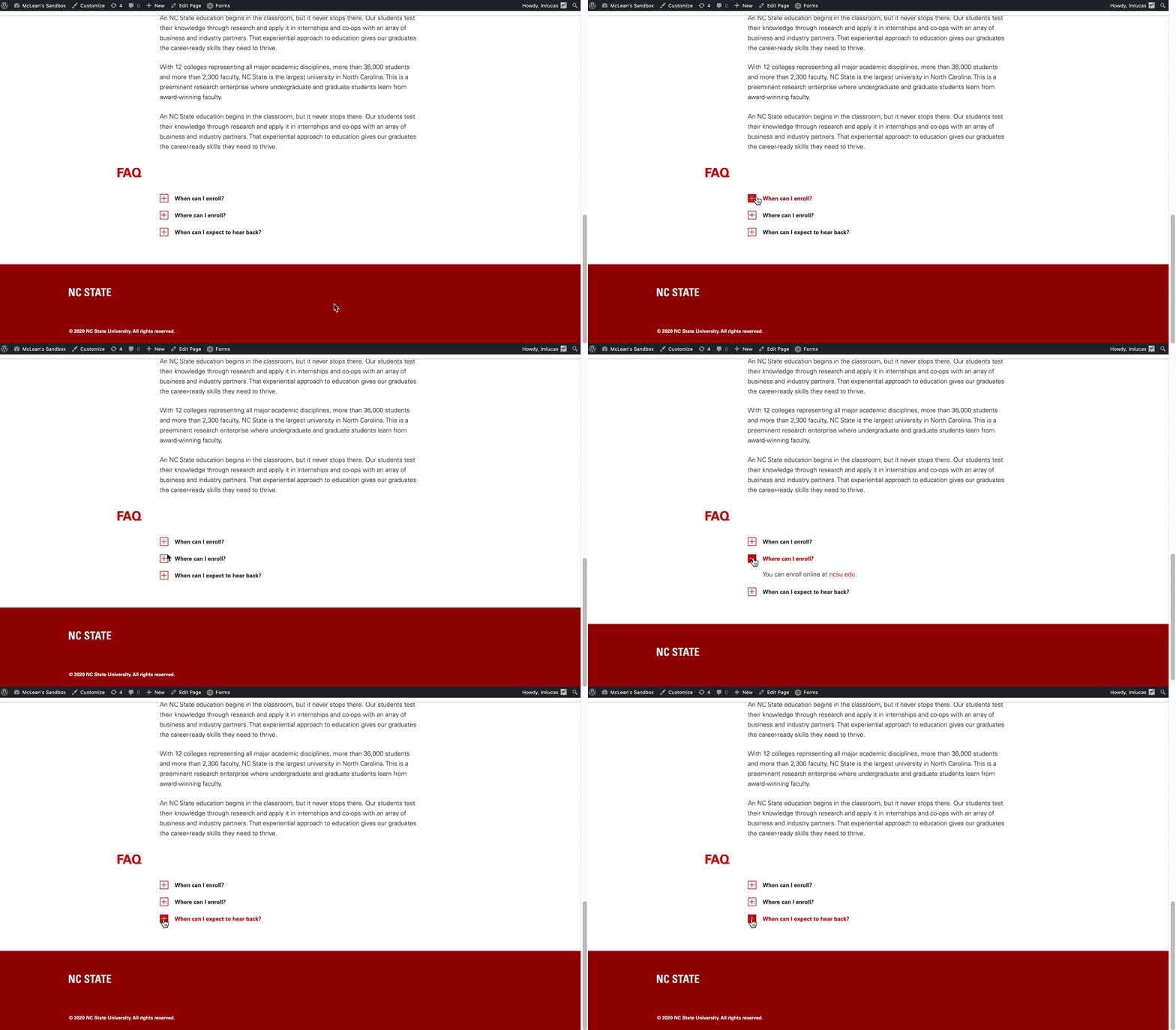
The Accordion block is a sort of styled list that grants site maintainers the option to have information nested through a collapsible drop down. An example of several blocks within a block, the Accordion block allows for several lines of text through its “Add an item” feature which provides the option of adding multiple paragraph blocks within the accordion block. The Accordion block should be used sparingly and in instances where a list of information is necessary. Examples of where an Accordion block could be useful is an FAQ or Help page where users may be looking for specific information in a list and do not need to read all of the content provided. See an example of an Accordion block below.
Features
In Gutenberg, adding an Accordion block to a page is as easy as clicking the “Add a block” button and choosing “Accordion” from the block list. Alternatively, the block can be found by using the “Search for a block” function. For more info on blocks and adding them to a WordPress site, see our documentation on blocks.
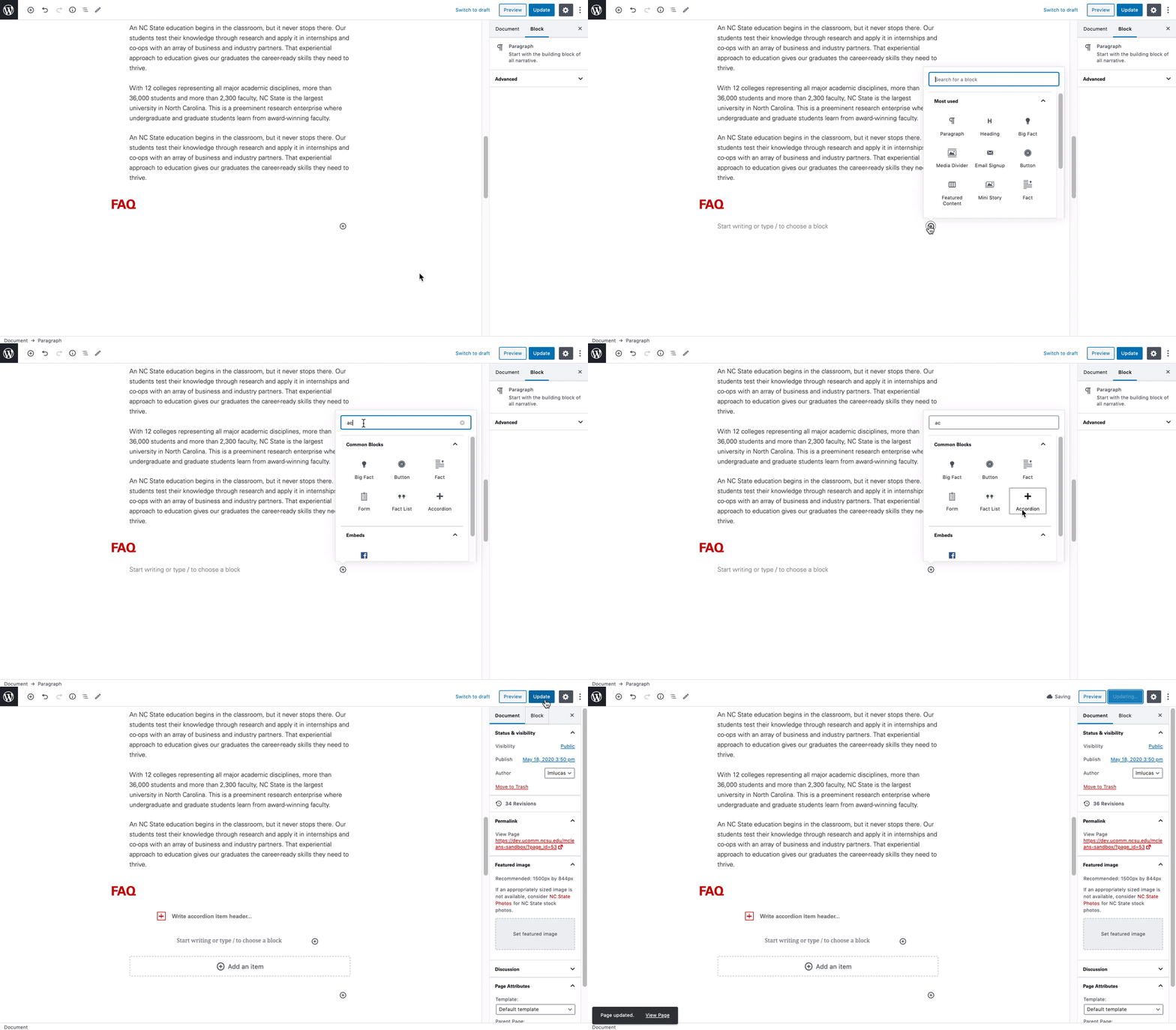
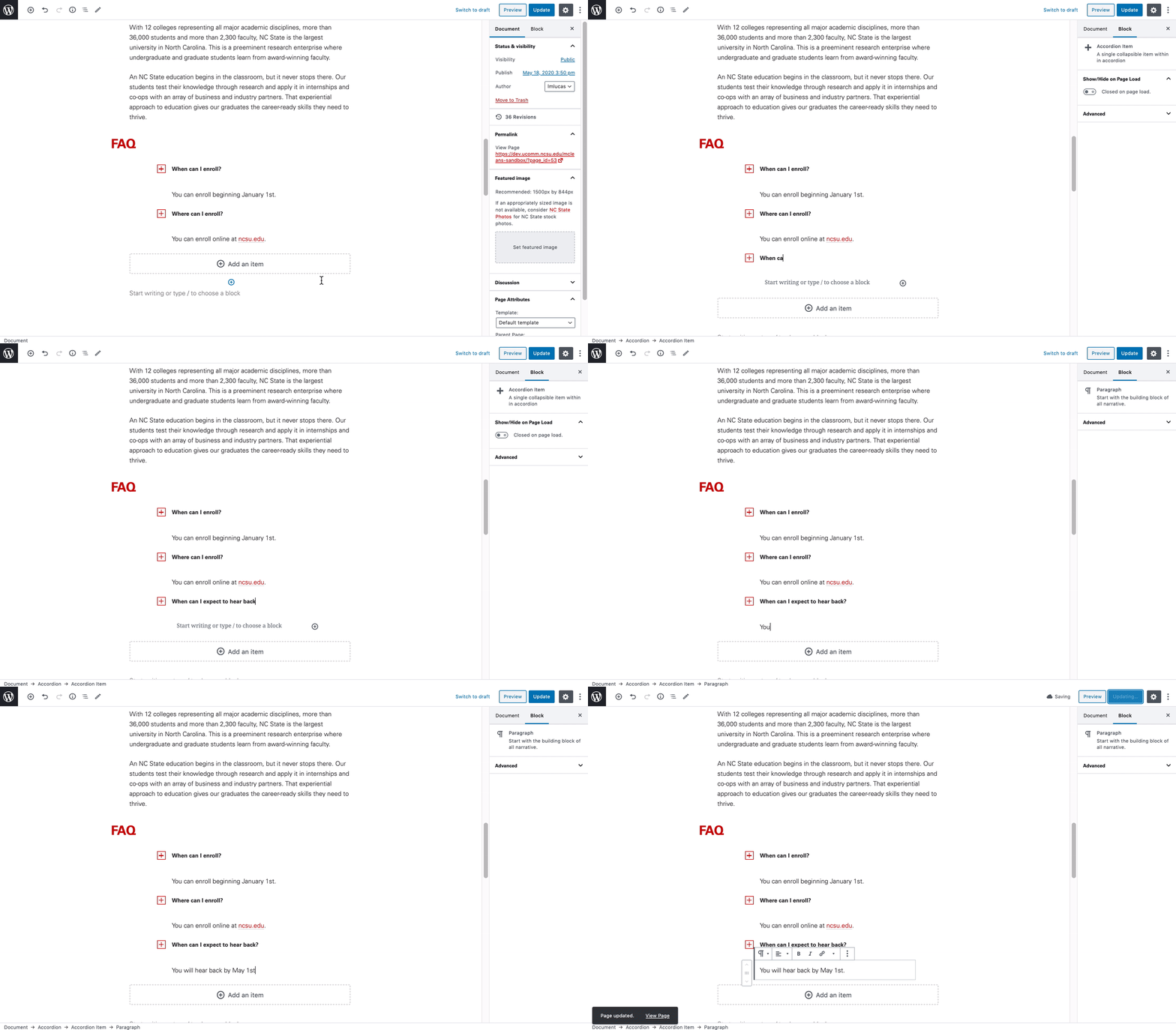
Once added, the Accordion block allows for the addition of multiple list items through the use of its “Add an item” button. It’s important to note that hitting enter will not create another item in the accordion list (only a new paragraph entry), so be sure to use the “Add an item” feature.
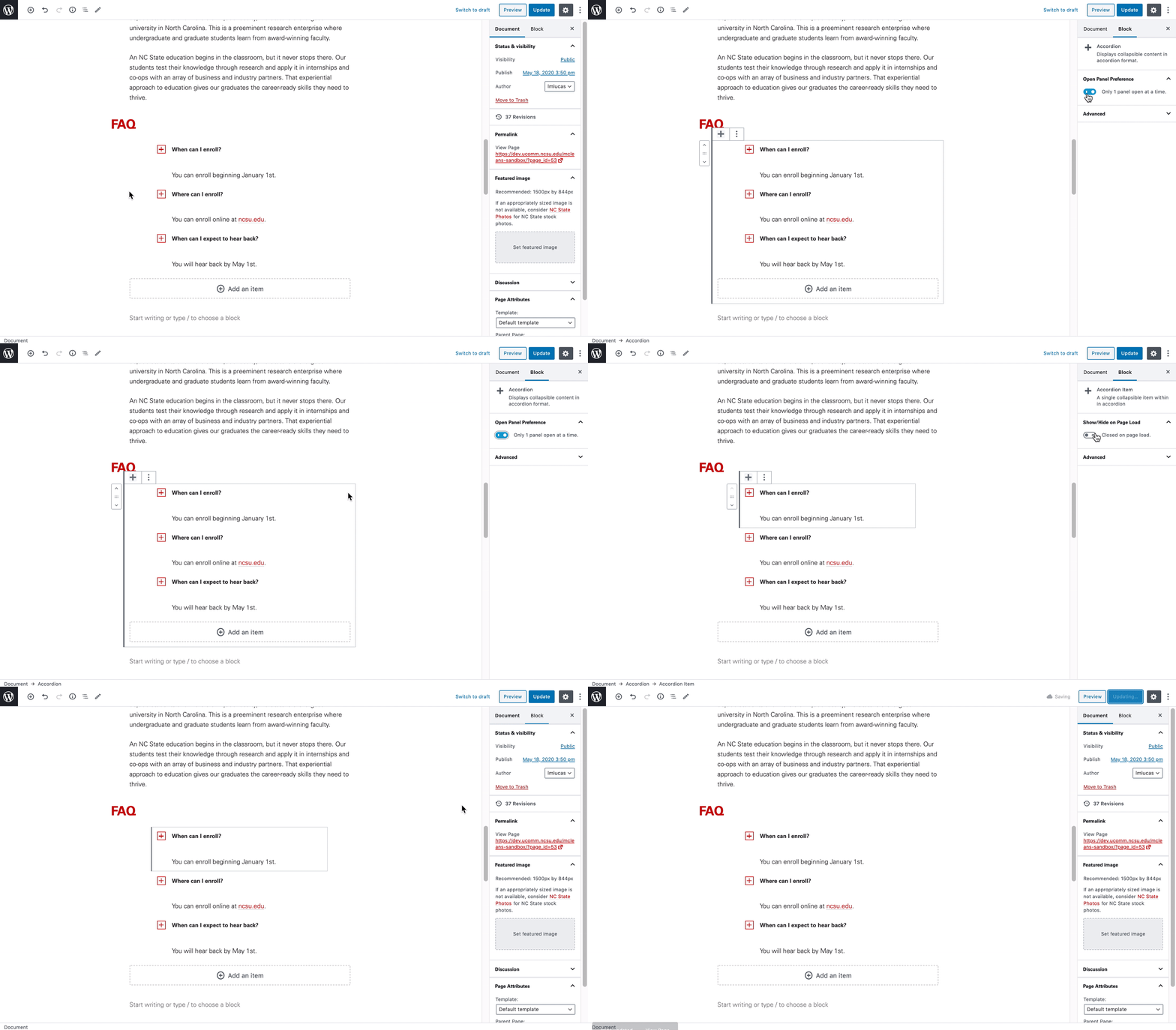
Additional customization is available through the block settings found on the right-hand side menu. Creators can opt to have the Accordion block allow for every item to be open at once versus one panel at a time. Furthermore, there is an option within each list item to have the panel open on page load as opposed to being closed by default.
Need help?
Have questions? Feel free to reach out with any questions or concerns at go.ncsu.edu/ucomm-dev-request.