Post Summary Block
Use Cases
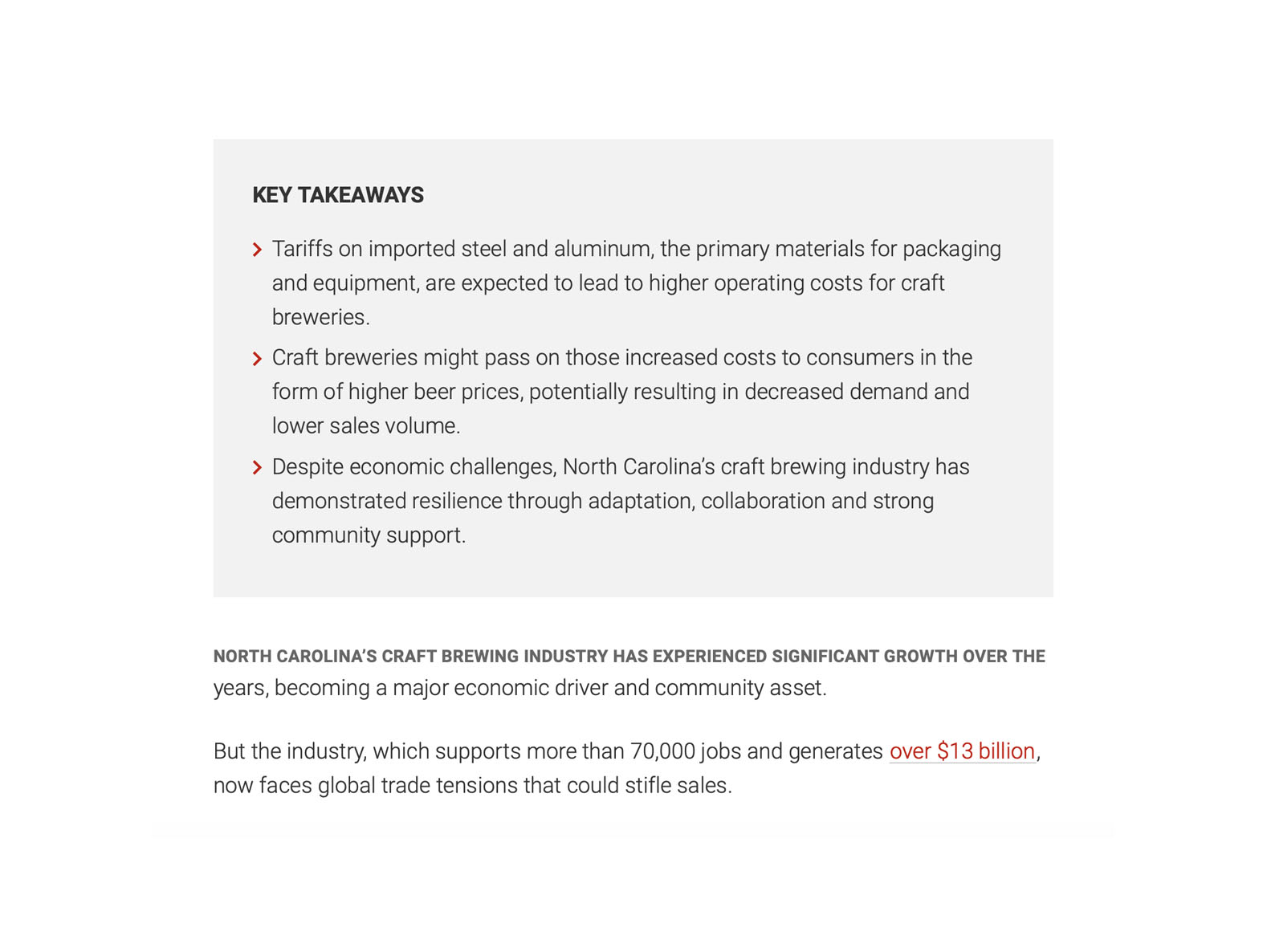
The Post Summary block gives readers a summary of a post’s contents. This makes the post easier to skim and understand at a glance. By offering context beyond the headline, it provides clarity which can spark greater interest from readers. This in turn can help improve reader retention.
Features
Unlike other blocks, the Post Summary block is not added using the block inserter. Instead, you will find it as an option in the tool bar of the header area of a post. The Post Summary block cannot be repositioned. When toggled on it will always populates below the header area of your post. This consistent placement aims to eliminate confusion and to improve navigability for users as they read multiple stories on a site.

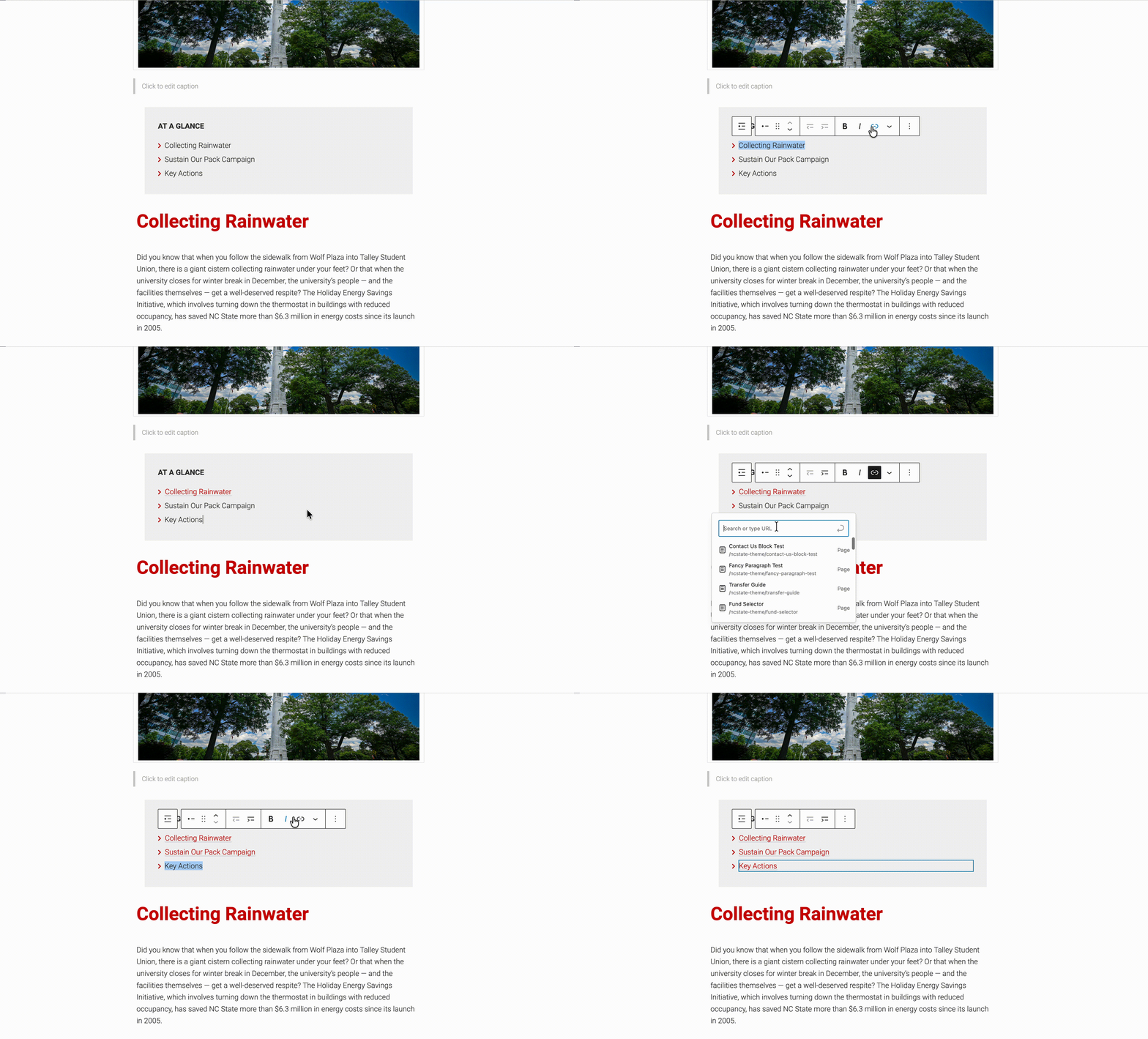
One final useful feature of the Post Summary block, is its support for embedded links. In particular, this opens up the possibility to leverage the block as a jumping off point. In conjunction with a thoughtful heading structure, maintainers can use anchor links to help readers navigate the contents of their post.
Need help?
Have questions? Feel free to reach out with any questions or concerns at go.ncsu.edu/ucomm-dev-request.