Compact Masthead Option
The Compact Masthead is a shorter and more streamlined masthead and menu option for sites within the premium tier of the NC State Theme. Multiple color options are available — all white, red/white, and all red.


The masthead can be enabled by going to NC State Settings -> Premium Add On -> Navigation and toggling on the compact masthead.
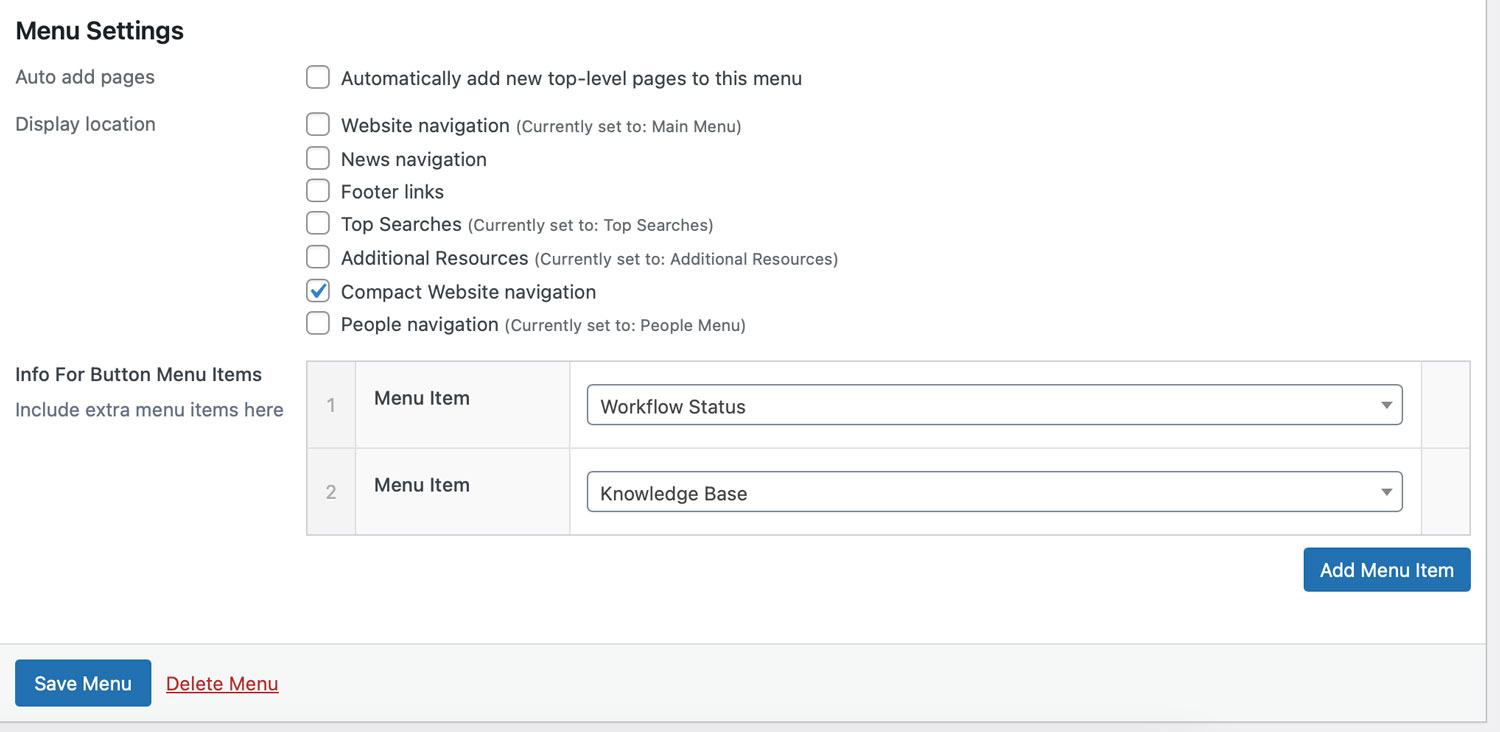
You will then need to go to Appearance -> Menus and assign your desired menu to the “Compact Website navigation” display location.
If desired, you can also include menu items to appear within an “Info For” menu item on the right-hand side of the compact menu. You can select other pages on your site to place within this menu item.
Need help?
Have questions? Feel free to reach out with any questions or concerns at go.ncsu.edu/ucomm-dev-request.