Fact Row Block
Use Cases
The Fact Row Block is a useful tool for providing users with important information about a site while also breaking up paragraphs of text. Intended to catch a user’s eye as they skim a web page, the Fact Row block should contain information that site visitors must see before they navigate elsewhere. Furthermore, the Fact Row block can be effective for linking out to other relevant stories. Leveraging the the call to action text featured under each fact can facilitate user’s exploring a site’s important content further.
Features
To get started, click the “Add a block” button and choosing “Fact Row” from the block list. Or search for “Fact Row.”
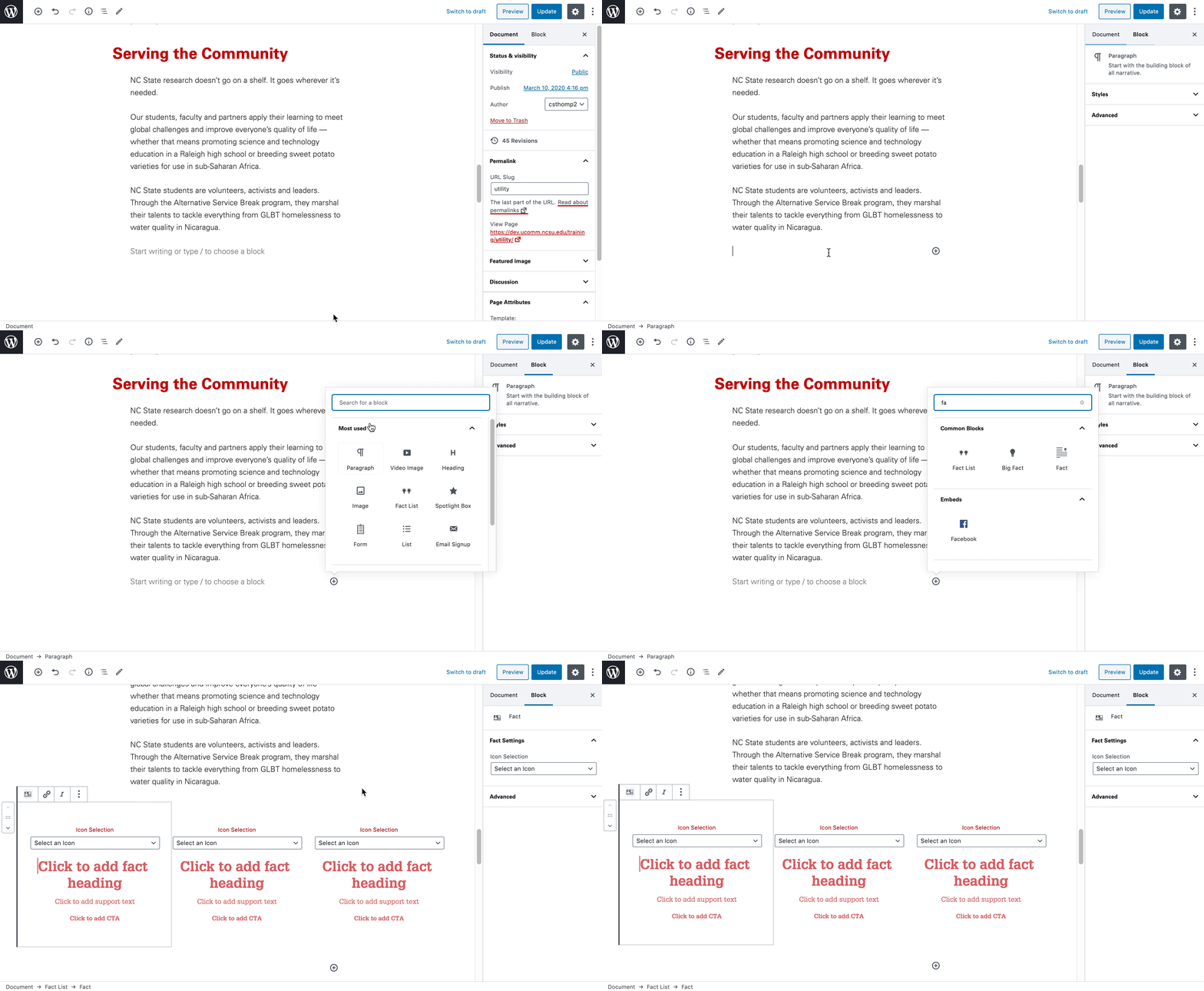
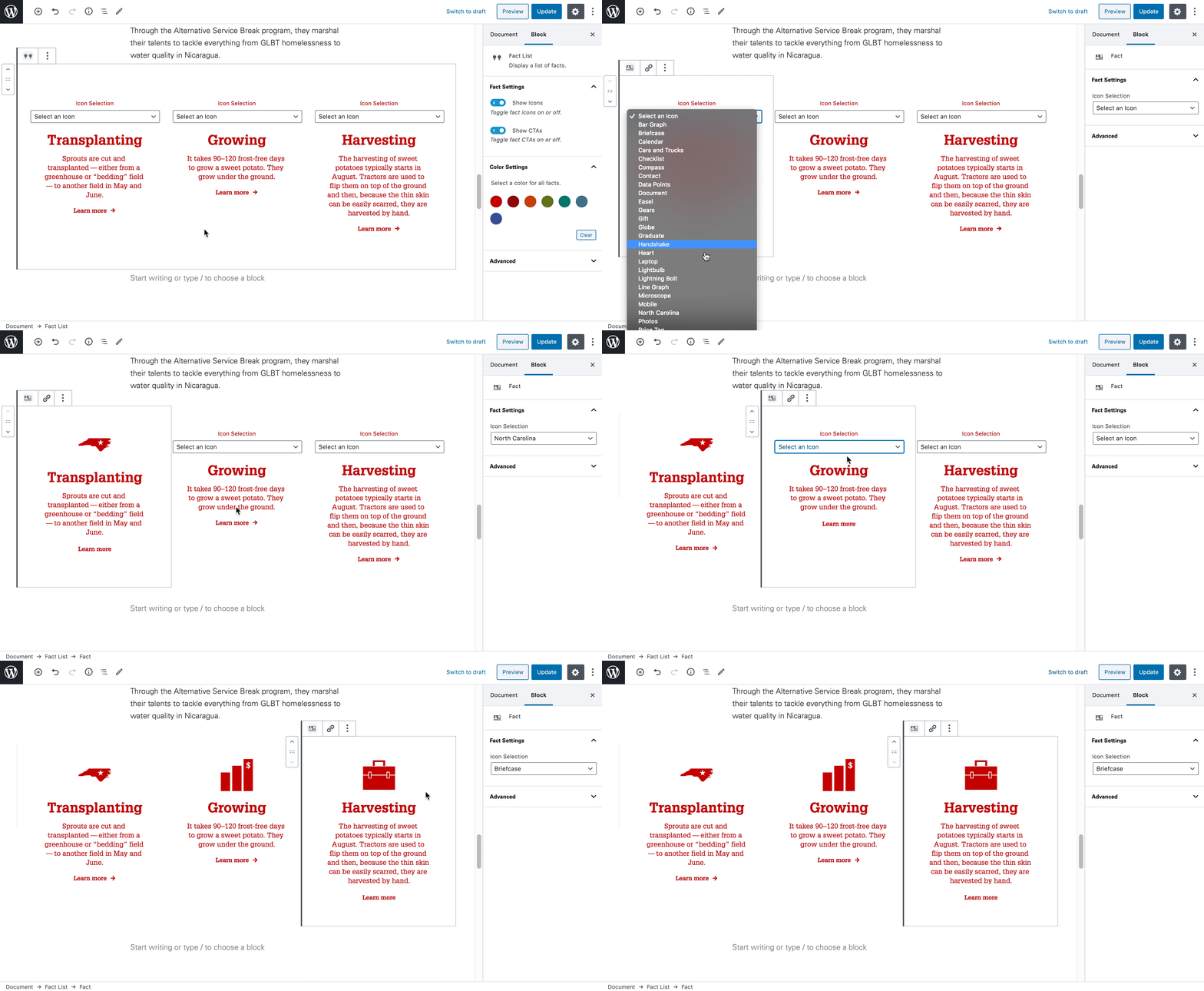
Once added, the Fact Row block allows for a specific icon, custom heading, supporting text, and call to action within each sub-block. This allows for focused, relevant facts, that are visually unique.
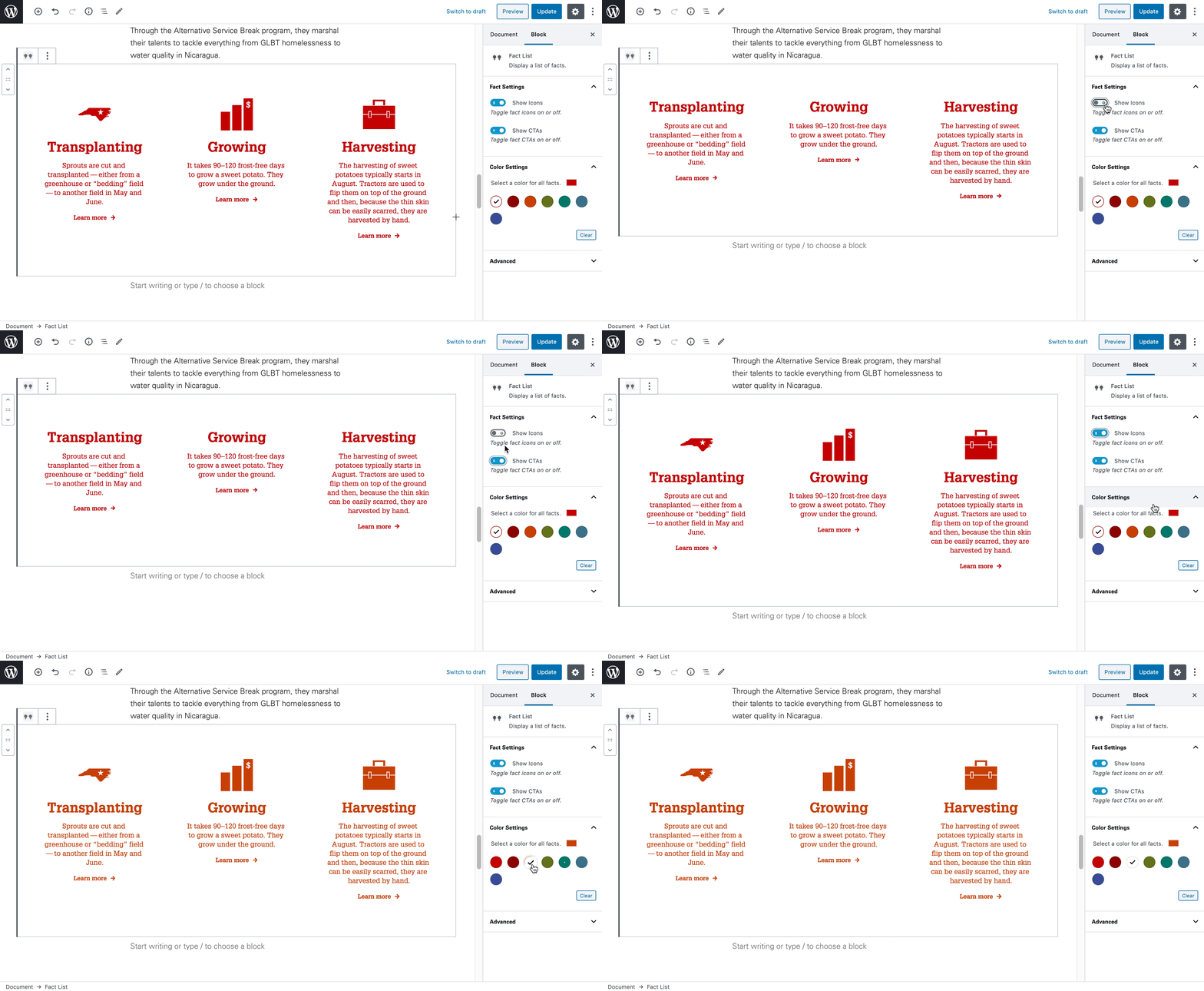
In addition to these customizations, the icons and call to actions can be hidden, and the color of the block changed.
Need Help?
Curious about the Fact Row block? Feel free to reach out with any questions or concerns at go.ncsu.edu/ucomm-dev-request.