Localist Calendar Widgets
Displaying upcoming campus events with ease
Keeping one’s audience up-to-date about campus events on the web can be a challenge. And building web content that displays this information in a clear and concise manner can be a big time sink. The Localist Calendar Widget builder aims to address both of these issues. Posting relevant campus event information in a thoughtful manner has never been easier.
What is a widget?
A widget is a calendar embed that pulls event information from Localist and displays it on a webpage. This saves content maintainers time when sharing campus event information on their websites. Events display in either grid or list formats, and update based on parameters set in the widget builder.
If you’ve used WordPress for many years, you might be familiar with the term “widget” from WordPress. Localist widgets are completely different and do not require your WordPress theme to support widgets.
Widget Builder
To begin building widgets, content maintainers can go to the University Calendar website. Logging in is not required to begin using the widget builder. Simply click the link provided on the right to begin.
Templates & Settings
Once on the widget builder page, start by choosing a template. There are currently 4 templates to choose from. To help decide which template you would like to use, see examples of each one below:
Default
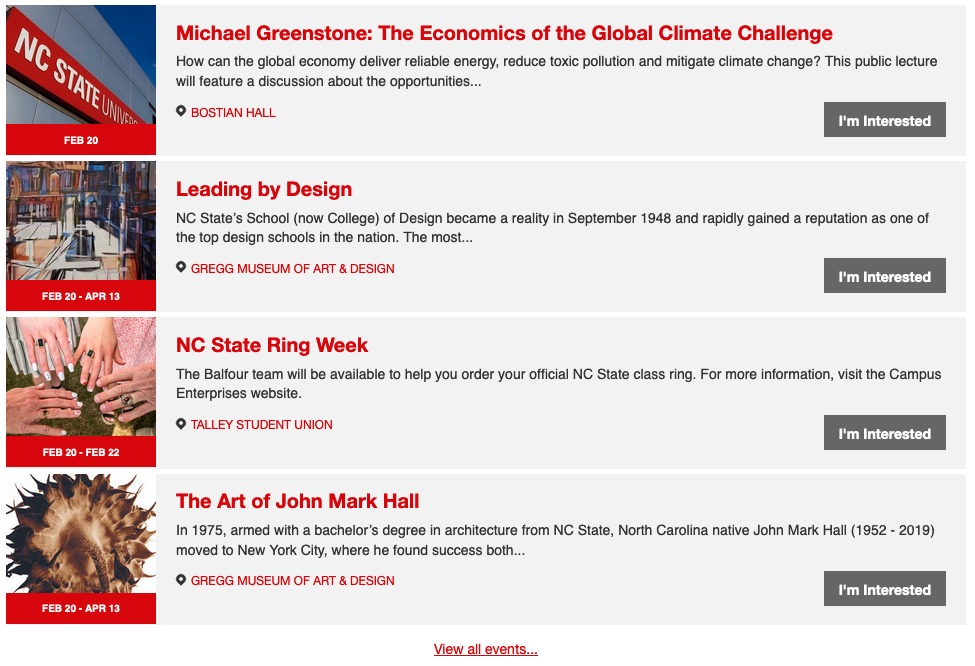
Grid (Detailed)

Grid (Red)

Grid (White)

Configuring Settings & Generating Shortcode
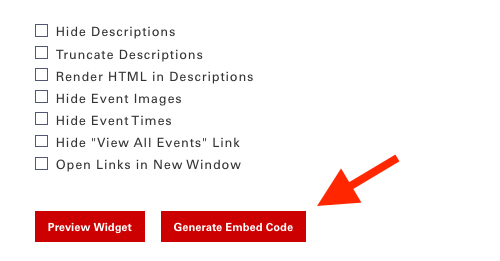
After choosing your desired template, there are several settings you can configure. These settings allow you to choose what information displays in your widget. It’s up to you what you include – or don’t include.
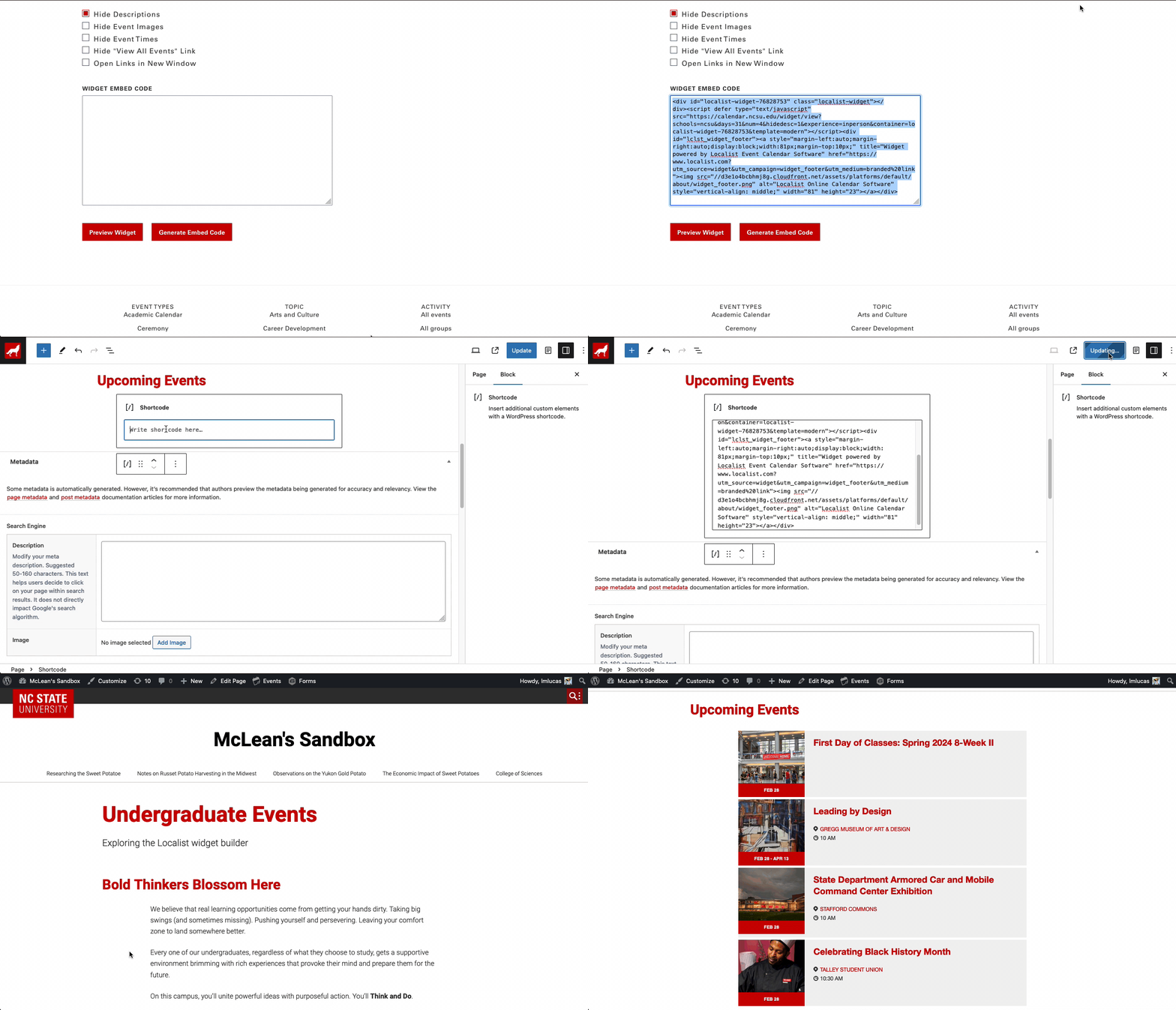
Finally, after configuring the widget settings, generate the embed code. This embed code, used in tandem with the Shortcode block, allows you to place the widget on your website. There is also an option to preview the widget before adding it to a webpage.

Need help?
Have questions? Feel free to reach out with any questions or concerns at go.ncsu.edu/ucomm-dev-request.