Patterns
Customizable, reusable, sets of blocks
With patterns, you can save sets of blocks to use later on any page or post on your site. This can mitigate the repetition of adding the same groups of blocks to new pages.
Creating a Pattern
In most cases patterns consist of a group of blocks, but patterns can also be a single block. To create a pattern, one can take the following steps:
Selecting Content
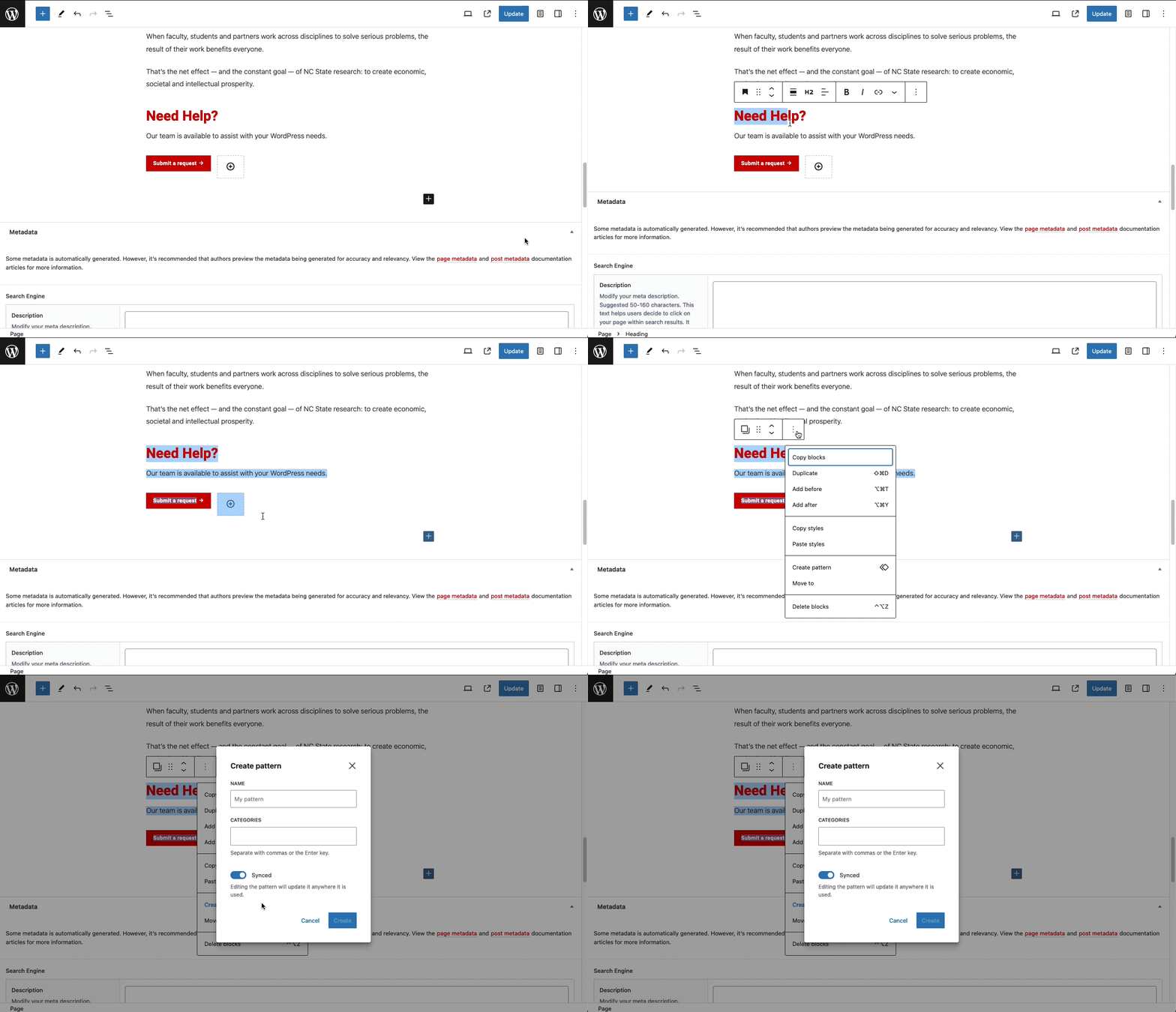
First, add a block, or blocks, that will become the pattern. A common example that occurs on our documentation site is “Our Need Help?” pattern. Following the content’s creation, highlight the blocks that will make up the pattern and click the menu icon (see GIF below)
Configure Settings
Next, provide the new pattern with a name. Maintainers can also add the pattern to a category now if they wish. The final setting to consider is whether one would like the pattern to sync across pages. Below is a breakdown of how patterns behave synced versus not-synced:
- Synced: when edited, the pattern updates on any page where it is in use.
- Not-synced: when edited, the pattern will only update on the current page.

Adding a Pattern
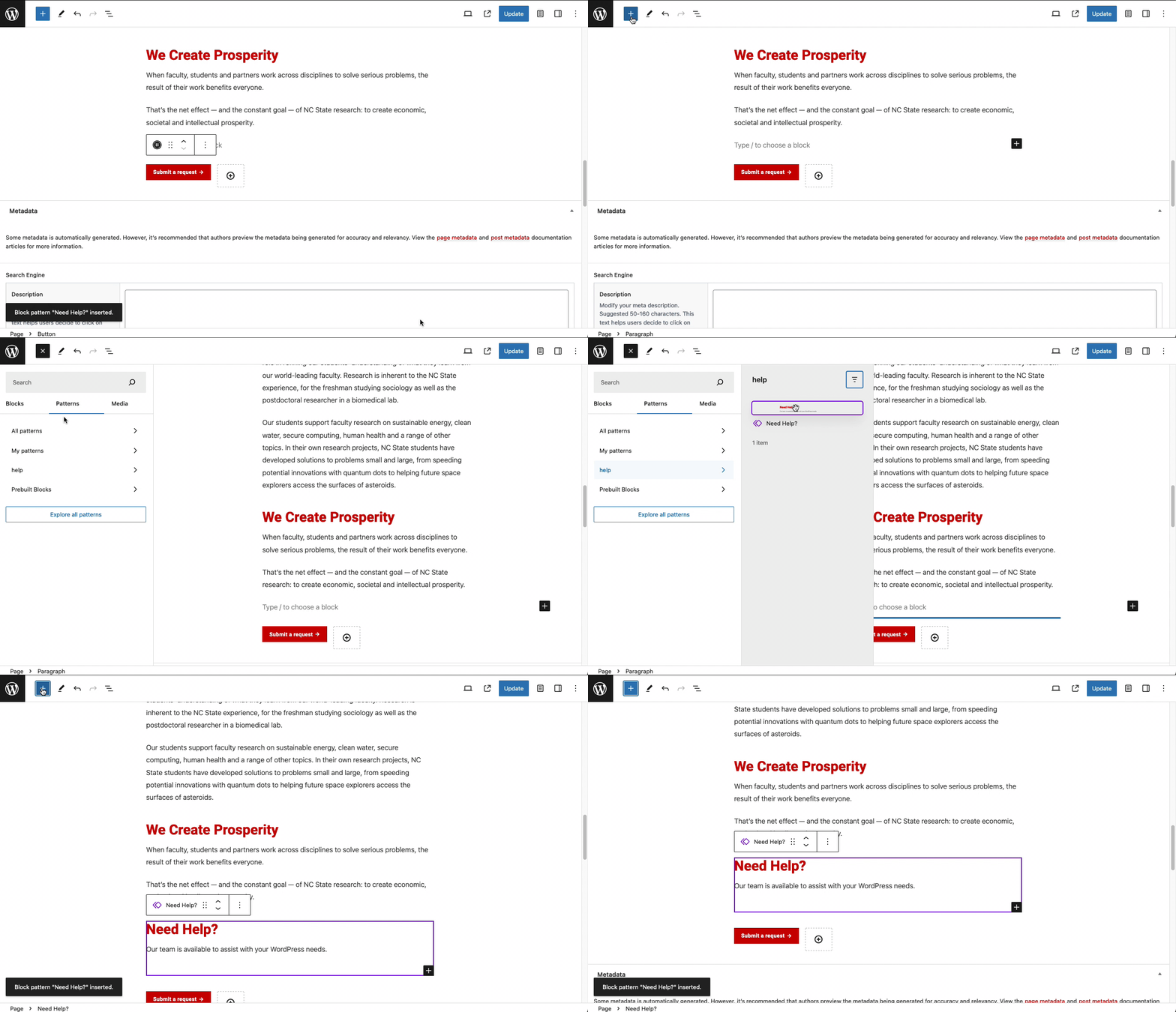
Finally, following the pattern’s creation, adding it to a page is much like adding any other block. Navigate to the block inserter, and choose the “Patterns” tab. Then choose a pattern to add it to the page (see GIF below).
A Final Thought on Syncing
Synced Patterns
A synced pattern is a pattern that remains the same everywhere one uses it on their site. When synced patterns change in one place on a site, that update happens everywhere the pattern is in use. For example: a common use case could be a set of blocks detailing business hours. If those hours update on one page, they will also update on every other instance of the site.
Non-synced Patterns
A pattern that is not synced is a collection of blocks designed for multiple uses. But leaves maintainers the freedom to change the content in the blocks page-by-page. For example, one might have a consistent layout that includes images and text for news posts. One can create a pattern, disable syncing, and then update the images and text using the same layout for each story.
Need help?
Have questions? Feel free to reach out with any questions or concerns at go.ncsu.edu/ucomm-dev-request.