Content Auditing
Schedule and track audits of your content to assure it is up to date.
Websites need regular upkeep to stay accurate, accessible and easy to find. A content audit is the process of reviewing your pages on a set schedule to catch problems like outdated information, broken links and accessibility issues before they affect your visitors. Conduct these audits every semester and focus on content quality, navigation structure and plugins.
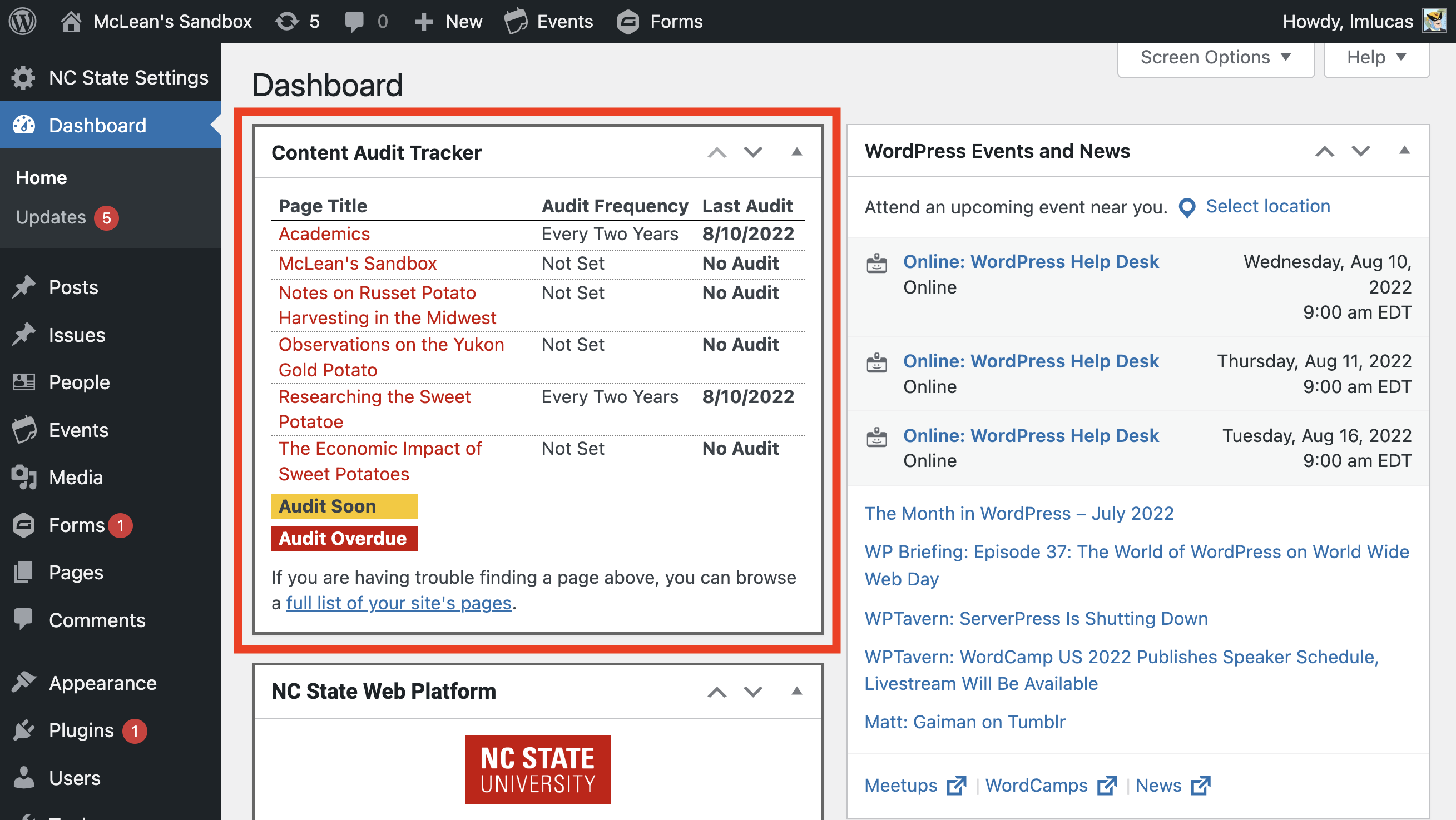
The Content Audit tool within WordPress makes this easy. A sidebar in the page editor lets you schedule and mark audits, and the Content Audit Tracker widget on your WordPress dashboard shows you which audits are upcoming and overdue.
Set Up Auditing Frequency
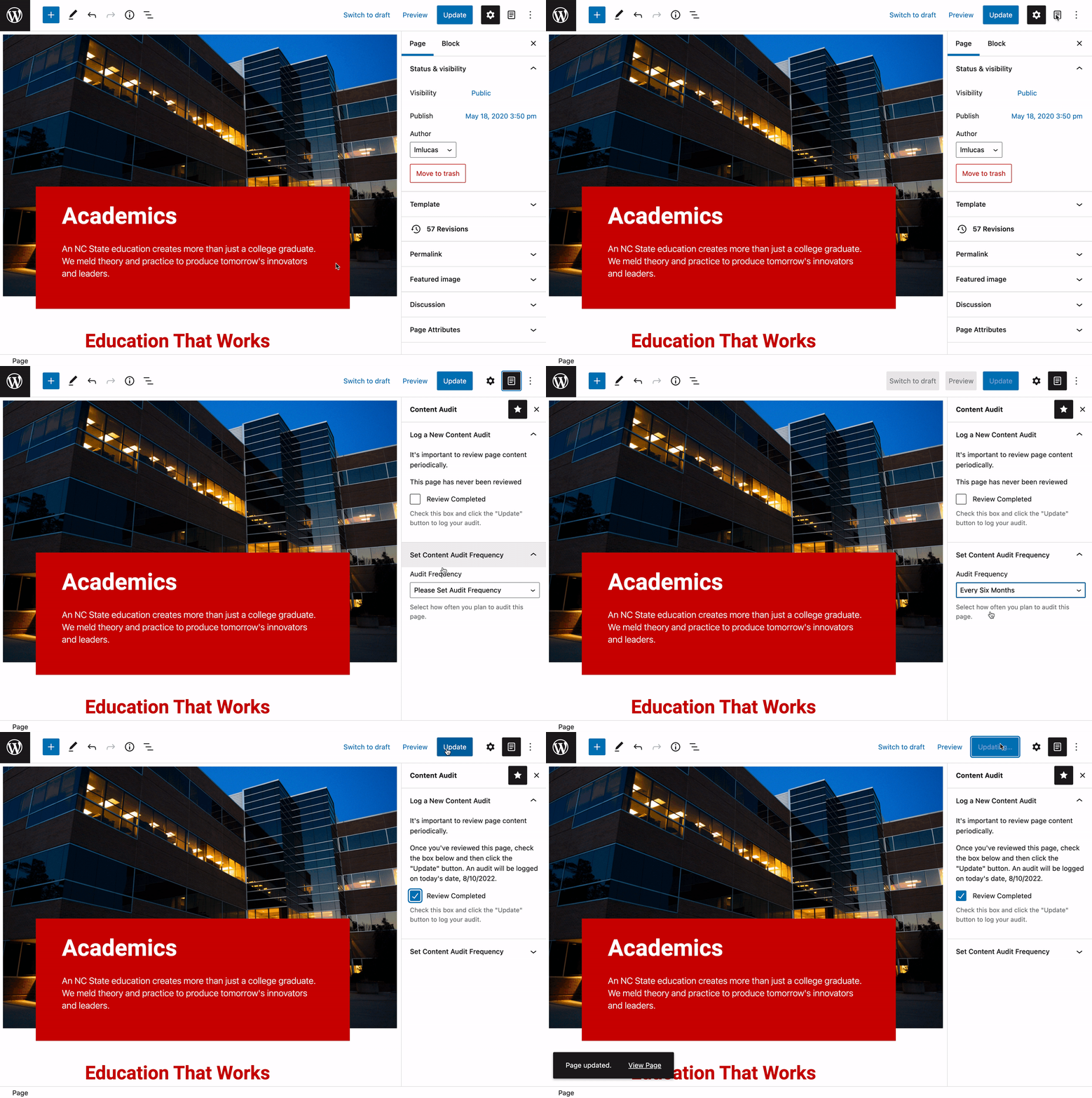
- Edit the page you want to audit.
- Click the Content Audit icon in the top right corner of the editor. This opens a sidebar of audit options.
- Under Set Content Audit Frequency, select the audit frequency from the dropdown.
- Once the page has been reviewed, click the box next to Review Completed. You will do this each time you audit this page.
- Additionally, there is the option to “Display Last Review Date On This Page”. Toggle this option on to show the date at the bottom of the page.
Track Your Audits
Once you set an audit frequency, track progress using the two ways below.
Pages List
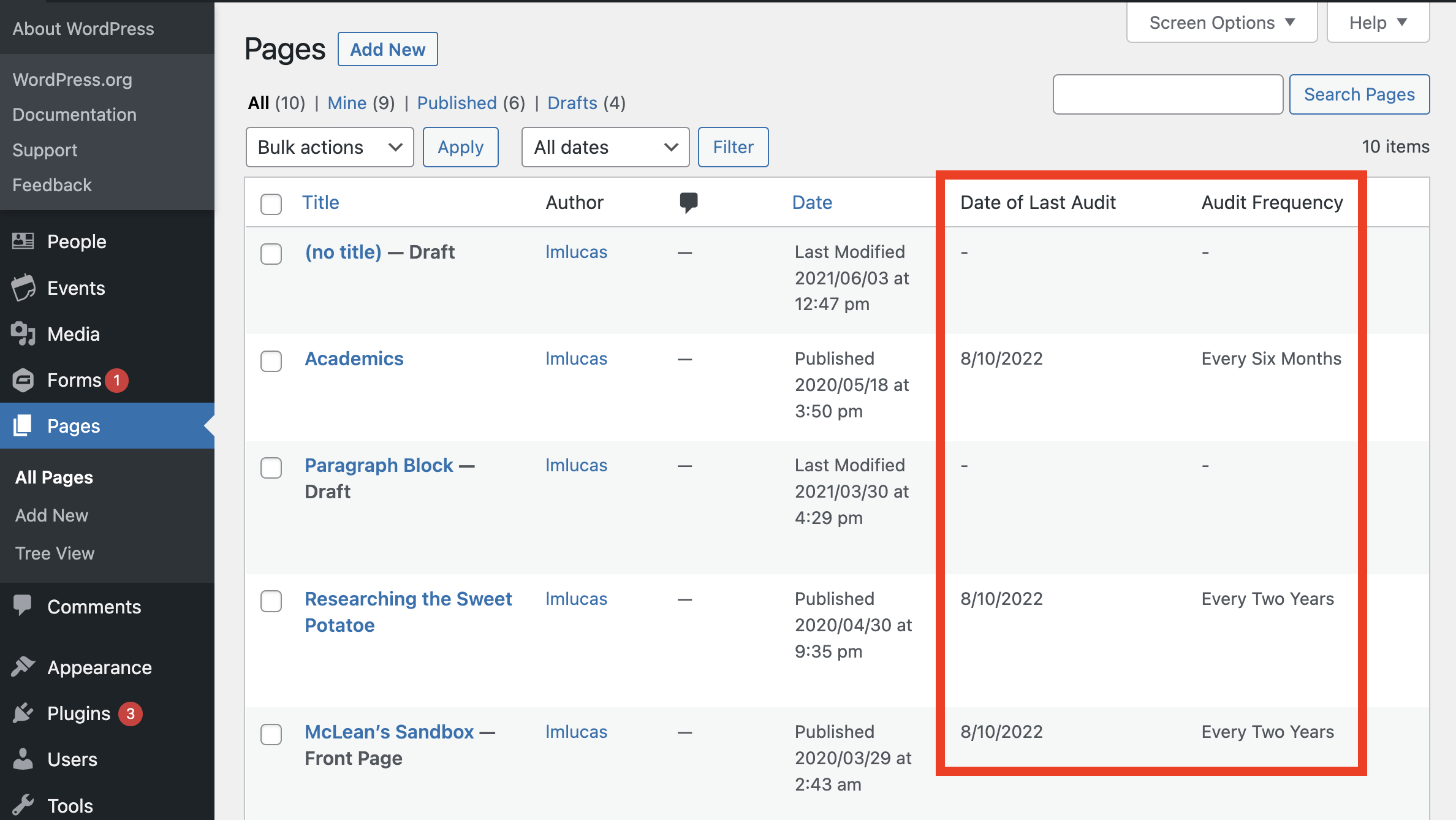
- From the WordPress Dashboard, click Pages.
- Within the list, there are two columns that display audit information for each page: Date of Last Audit and Audit Frequency
Content Audit Tracker
- From the WordPress Dashboard, scroll down until you see Content Audit Tracker (you may need to expand the section)