Separator Block
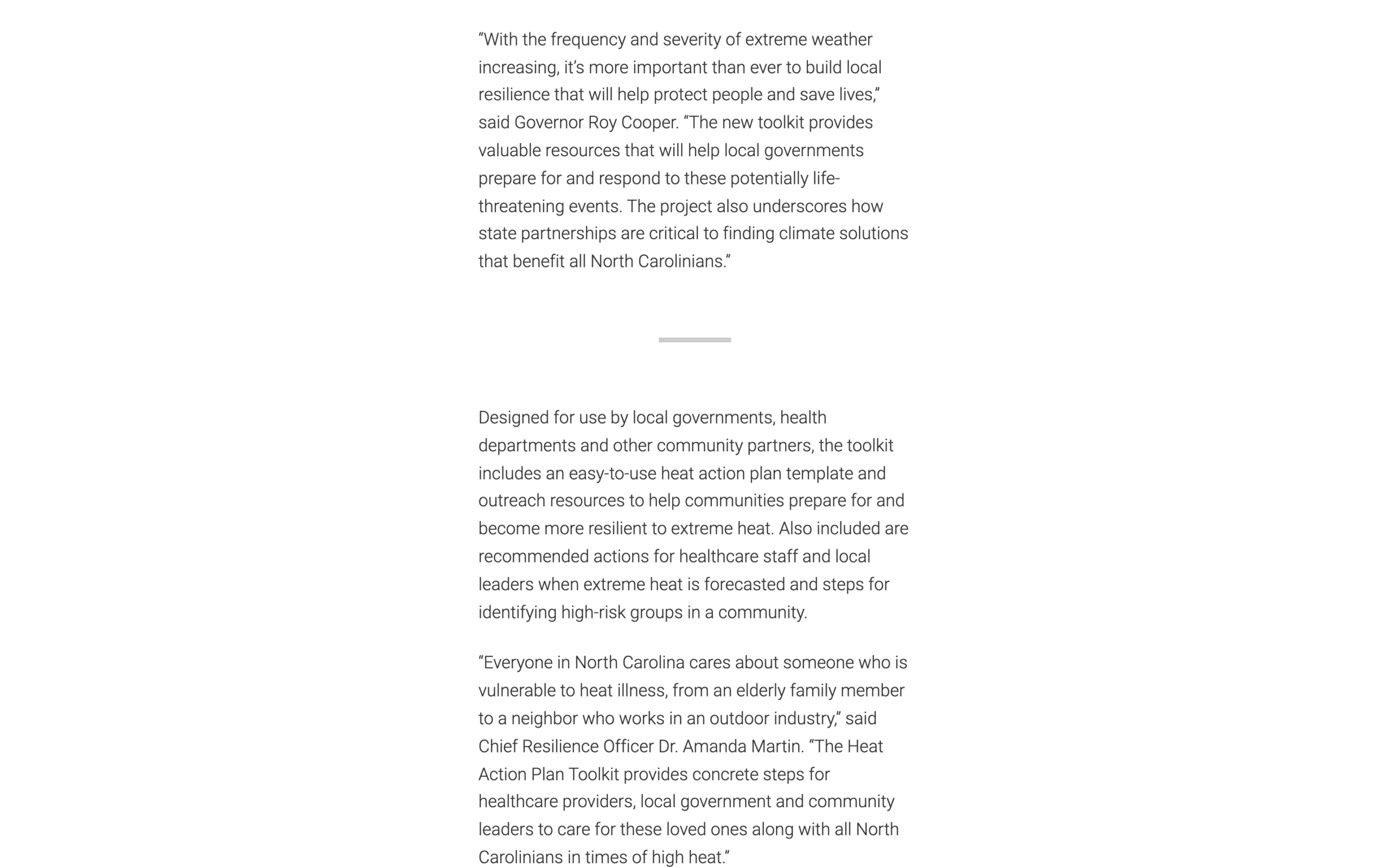
The Separator block adds a short gray line between sections of a story. Use it to give readers a visual pause when your post moves from one idea to the next. The block has no settings. Add it where you want the break and you're done.
When to use it
Use the Separator block when you want to:
- Mark a shift in a long story. For example, between the section about a researcher’s early work and the section about their current project.
- Signal a change in time or place. For example, before a section that jumps ahead to “Five years later…”
If the next section needs a title, use a heading. If you want a photo or video to break up the story, use a block that works in Immersive posts, such as the Image Grid Block, the Video Block or the Thumbnail Gallery Block.
Before you start
- Use the Immersive template. The Separator block works only in posts that use the Immersive post template, which comes with the NC State Premium Add-on. It doesn’t appear in the inserter for pages or for posts that use another template. You can also add it to a synced pattern.
- Turn on the Feature Pack. The Separator block is part of the Storytelling Feature Pack. If you can’t find it in the editor, ask your site administrator to turn it on under NC State Settings > Feature Packs.
- Complete the training. Starting with version 4.19 of the NC State Theme, site administrators can require the Storytelling on-demand training before you can add this pack’s blocks. See all On Demand Trainings.
Adding the block
- Open a post that uses the Immersive template.
- Click the + (Add block) button.
- Search for Separator. You can also search for “divider” or “hr.”
- Click the block to add it to your post.
What visitors see: a short, thick, light gray line, centered on the page, with a little space above and below it. The line is the same in the editor and on your live post.
Frequently asked questions
Can I change the color, width or style of the line?
No. The Separator block has no settings. Every Separator on your site looks the same.
Why can’t I find the Separator block?
There are two common reasons:
- Your post doesn’t use the Immersive template. The block isn’t available on pages or on posts with other templates.
- The Storytelling Feature Pack, or the Separator block within it, is turned off. Ask your site administrator to check NC State Settings > Feature Packs.
What happens if I switch my post to a different template?
The Separator block only works with the Immersive template. In other templates, the editor shows this notice in its place: “The Separator block is not supported by this template. You can remove this block or switch to a different template.” Remove the block, or switch the post back to the Immersive template.